How to Create Your First AI Agent for Marketing and Sales
Dec 22, 2025Introduction
Hi I’m Dr. Carlos Valdez, founder and director of MercadotecniayVentas.com, an educational portal where more than 90% of our content is freely accessible. Our mission is to educate and inspire students, academics, and professionals in marketing and sales through innovative, practical content that develops skills which create real value.
This is a special video–audio blog dedicated to marketing and sales students in their final year who are currently looking for job opportunities.
I want to start with a very clear reality. When you enter today’s job market in marketing and sales, companies primarily evaluate three things.
First, your soft skills: how you communicate, how you think, and how you solve problems.
Second, your technical skills as a marketer or salesperson.
And third—and this is what will make the difference in the coming years—your knowledge of artificial intelligence, beyond just using ChatGPT.
And here I want to be very honest with you.
Knowing how to use ChatGPT, create images, generate presentations, or write texts with artificial intelligence is no longer a competitive advantage. Today, that’s like knowing how to use Office, send emails, or browse the internet: it’s taken for granted.
I’m not a programming expert. I’m a professor of marketing and sales, and I recently conducted research on the use of artificial intelligence in our university program.
I’ve talked with students, professors, graduates, and employers, and they all agree on something very clear: Using artificial intelligence is important, but what will truly set professionals apart in the coming years is knowing how to use AI strategically.
And that next level is no longer just about writing better prompts.
We’re now talking about creating artificial intelligence agents.
That’s why I created this mini-course.
I’m going to share with you how to take your first real step to create an AI agent applied to marketing and sales.
Not to turn you into a programmer, but to help you develop a new skill in your AI training—one that will give you a competitive advantage toward 2026.
This isn’t magic.
It’s not immediate.
It requires patience, precision, and iteration.
But it is a real first step.
Before we continue, I want you to be very clear on something.
I’ve already walked this learning path.
I made mistakes, got stuck many times, and gradually understood how artificial intelligence really works beyond using ChatGPT as a simple user.
But in this course you won’t walk alone.
The teacher that will accompany you throughout this process—the one who will help you think, test, correct, and improve—is the best AI teacher we have today, and that teacher is ChatGPT.
Here we won’t use ChatGPT just to generate texts.
We’ll use it as your learning co-pilot, as the tool that will help you create, adjust, and understand your first AI agent.
In the next section I’ll show you how you’re going to work with ChatGPT, what you need to get started, and how to use it strategically throughout this process.
These are the sections of the course:
- How you’re going to work with ChatGPT
- The environment we’re going to use
- Thinking like an AI agent creator
- How your first AI agent is built
- Testing, adjusting, and controlling costs
- Publishing your agent and taking the next step
Let’s begin.
Section 1: How you’re going to work with ChatGPT and what you need to start this journey
Before we talk about code, agents, or technical tools, there’s something fundamental I need to make clear from the start.
To follow this course you do need a paid ChatGPT account.
Not because it’s a luxury, but because we’re going to work continuously with AI, using it as real support throughout the entire process.
In my case, I work on a Mac, but the operating system isn’t what matters.
What matters is understanding that ChatGPT will be your tutor, your co-pilot, and your support while you learn to create AI agents.
And here I want you to do something key.
Don’t use ChatGPT as a generic chat.
Create a specific chat dedicated solely to AI agent creation.
That chat will be your workspace.
That’s where I explained to ChatGPT what I wanted to do, what I was learning, and what kind of agent I wanted to build.
And that same process is the one you will also follow.
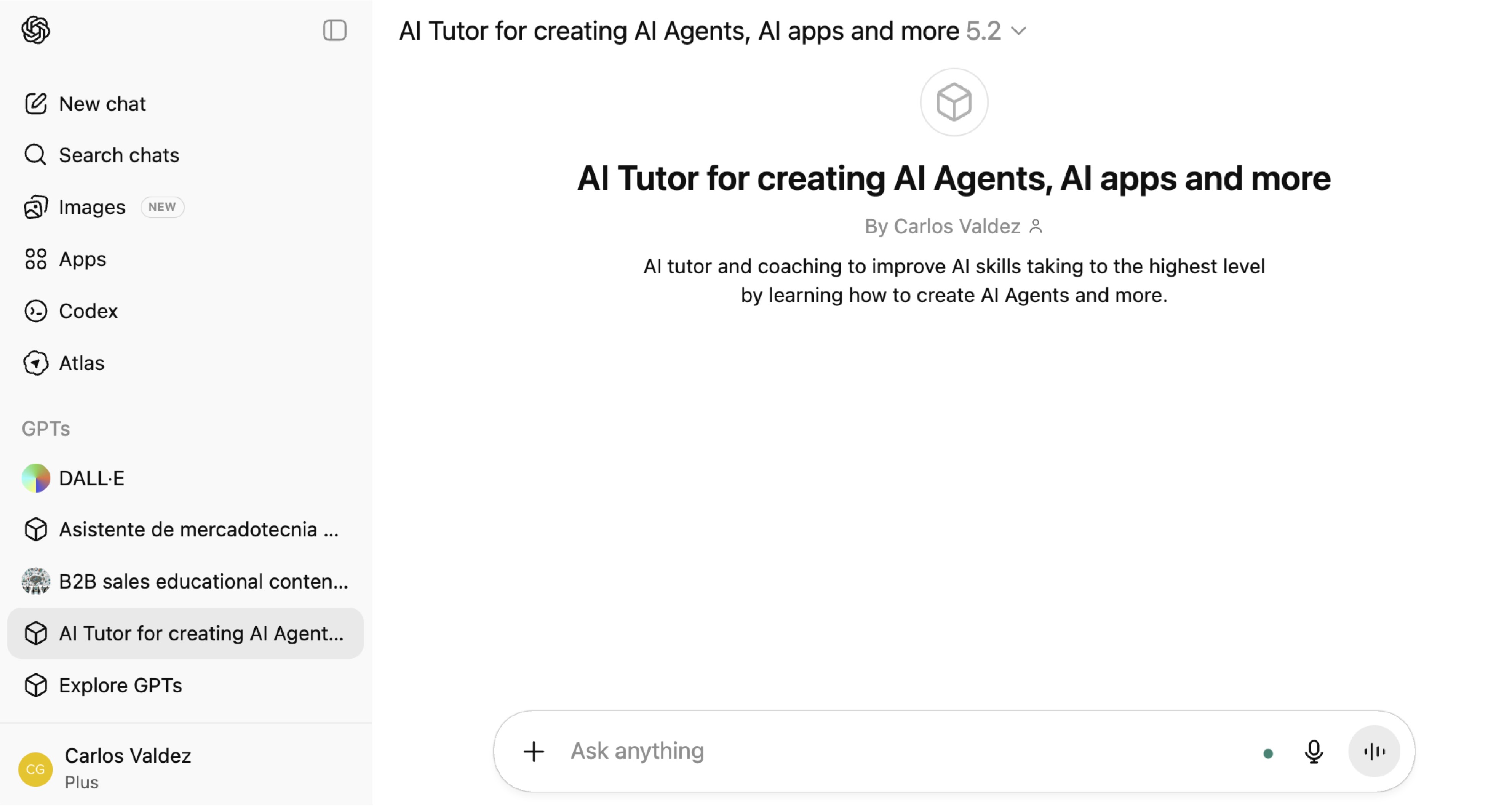
This is where I tell ChatGPT what role it will take and how it will help me throughout the process.
From that conversation, ChatGPT pointed me to the first real step to build an agent: create an OpenAI key, also known as an API key.
And here’s where the important part about costs comes in.
An OpenAI key is simply a secure way to tell the system:
“This application is me, and I am responsible for its usage.”
Every time your agent uses artificial intelligence, OpenAI charges for that use, according to the amount of information going in and out, which is known as tokens.
In my case, to start, I loaded 5 dollars.
That was more than enough to learn, test, and build my first agent.
The idea isn’t to spend a lot of money,
but to learn to control AI usage from the start.
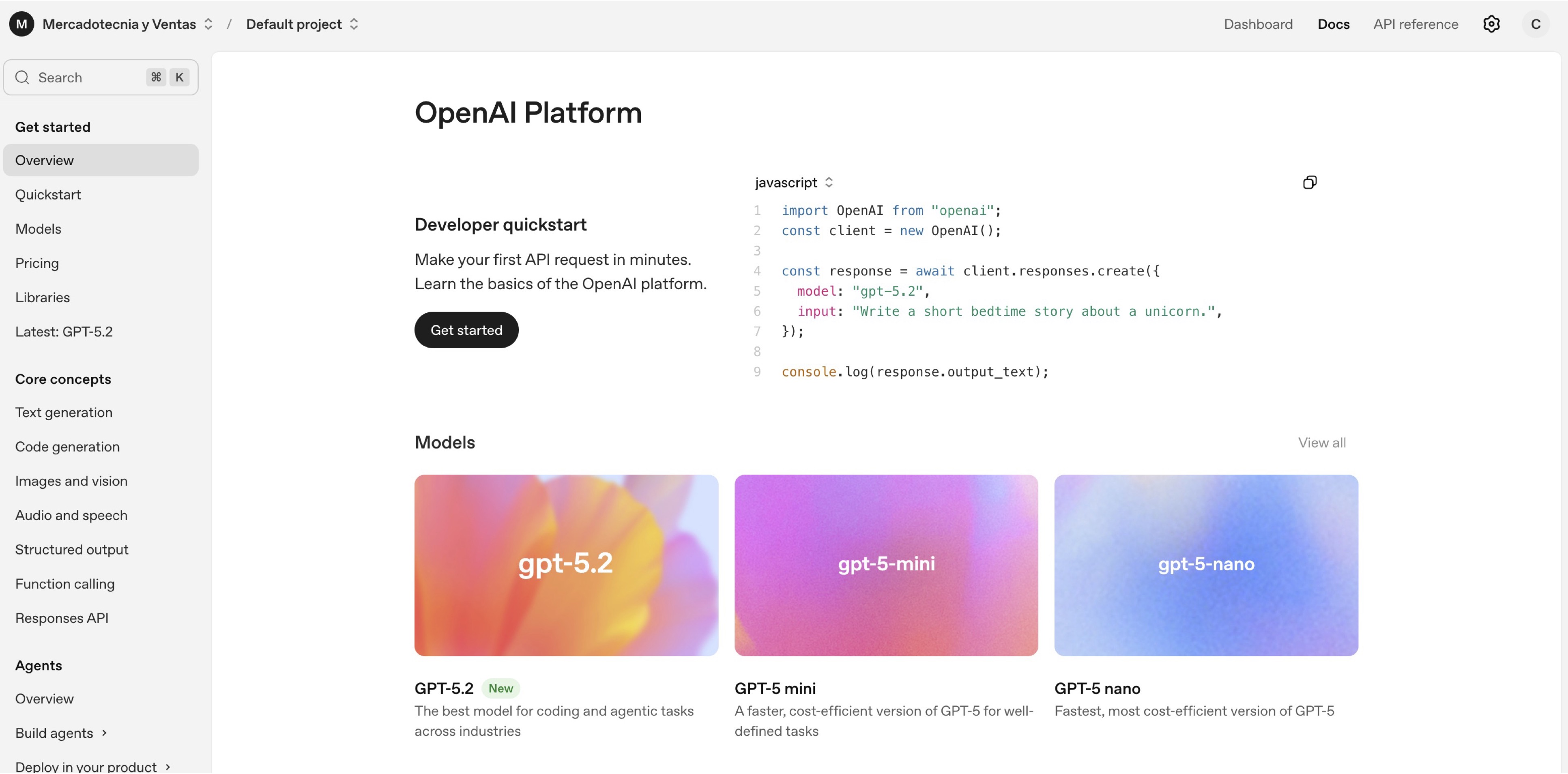
Understanding this now is essential.
Creating AI agents isn’t magic.
It’s using real artificial intelligence, and that’s why it has a cost.
But that’s also why, when you know how to do it well, it becomes a highly valuable skill.
Section 2: The environment we’re going to use
Before moving forward, I want to share how my process actually went, because there’s an important learning here.
I started working directly from the terminal on Mac.
That’s where I built much of the initial project.
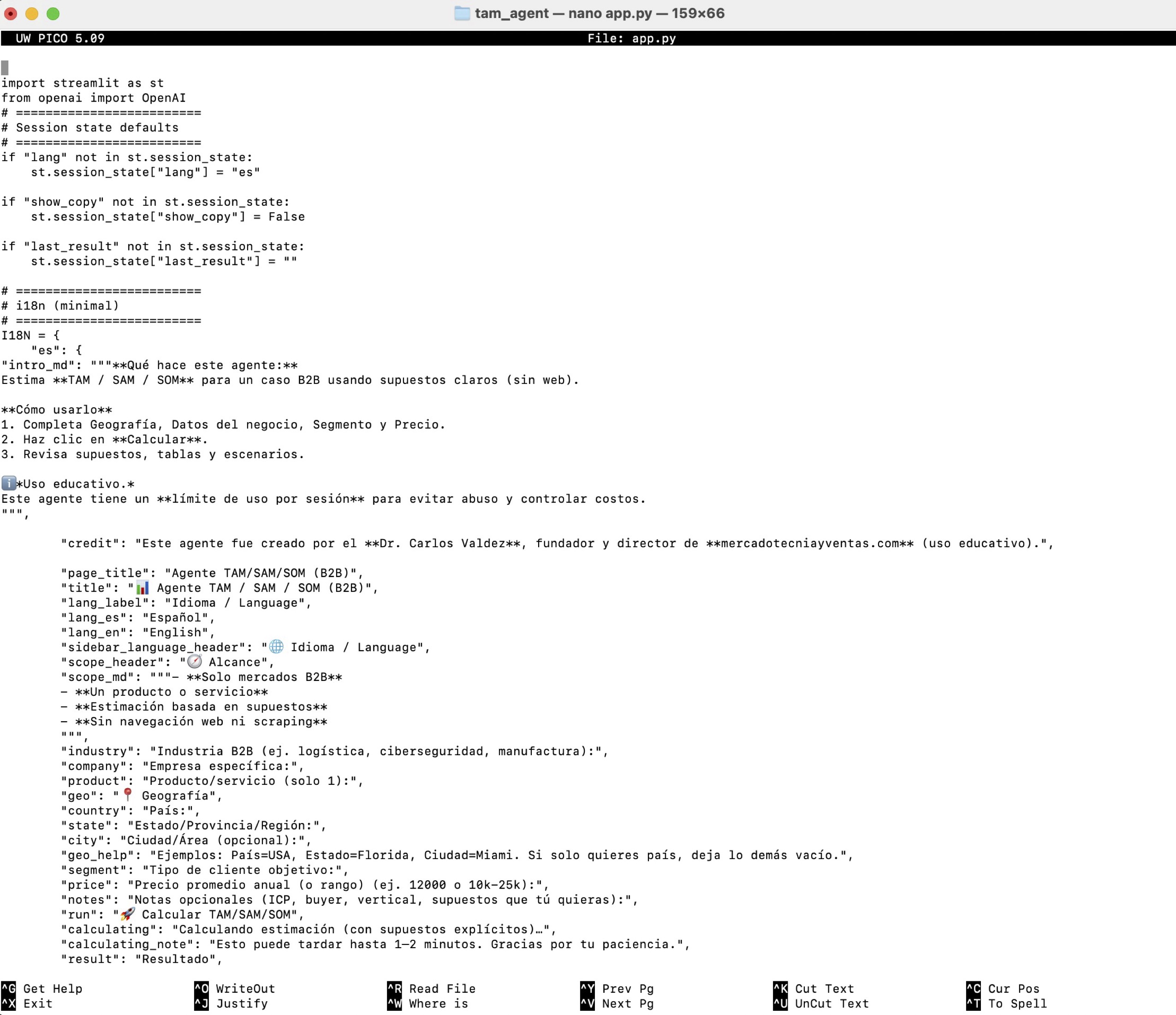
The terminal works, but over time I realized something:
when you’re learning to create AI agents, clarity matters more than complexity.
The moment I switched to Visual Studio Code, the process became clearer and faster.

That’s why in this course we’re going to work with Visual Studio Code.
Not because it’s more advanced,
but because it helps you think better.
Visual Studio Code is the space where:
• You organize your project
• You can clearly see what you’re building
• And you connect all the pieces of the agent
Now, let’s talk about the language.
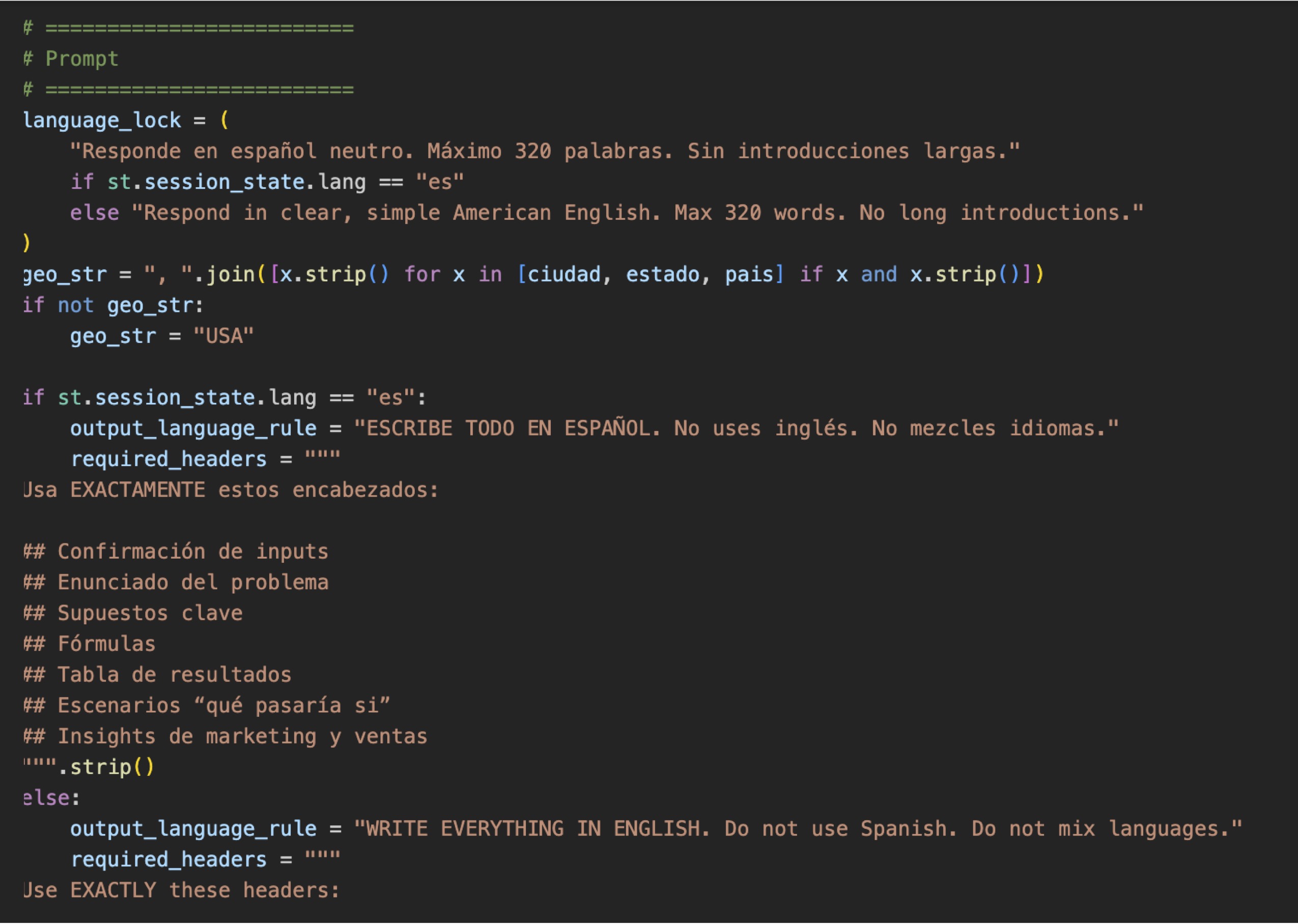
We use Python because it reads almost like text.
That makes it ideal for creating AI agents, even if this is your first project.
You don’t need to master Python.
You only need to understand that Python is the language that ties everything together.
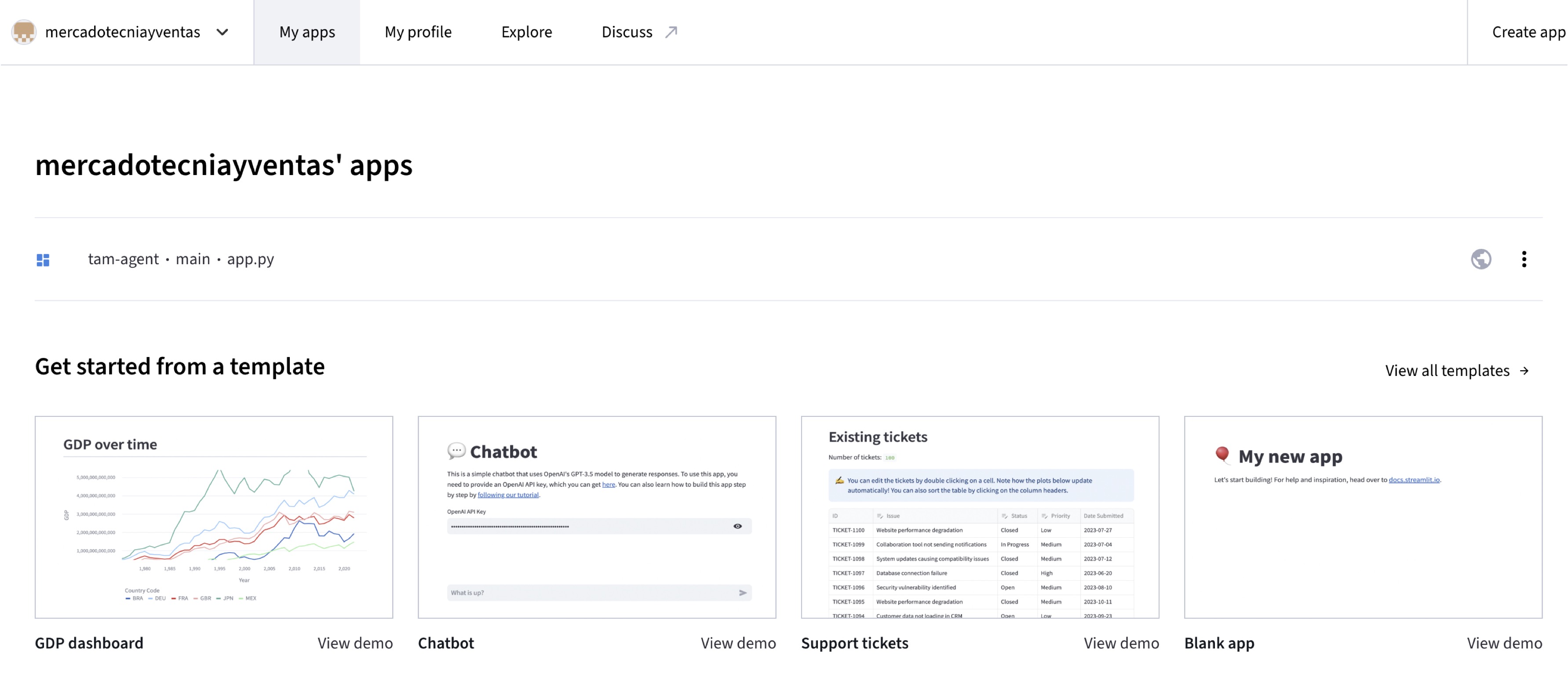
And finally, we use Streamlit.
Streamlit is what turns all that work into a real application.
It’s where the agent receives information, processes it, and responds.
It’s the moment when the idea becomes tangible.
The idea of this section is simple:
It’s not about mastering tools.
It’s about understanding how they relate.
• The terminal or Visual Studio Code is where you’ll put the code that ChatGPT will give you.
• Python is the language.
• Streamlit is where the agent comes to life.
In the next section, we’re going to get into the most exciting part of the course:
how to think like an AI agent creator before writing any code.
Section 3: Thinking like an AI agent creator
To create my first artificial intelligence agent, I decided to start with something very concrete and very real.
I chose a concept that we constantly teach in marketing and sales classes:
TAM, SAM, and SOM.
Briefly:
• TAM is the total addressable market.
• SAM is the serviceable available market you can actually serve.
• SOM is the share of market you can realistically capture.
These concepts are fundamental in marketing and sales,
but they’re also challenging for both students and professionals.
That’s why I thought creating an AI agent that helps calculate TAM, SAM, and SOM really adds value—because it’s something we all use in marketing and sales.
This is where the way of thinking starts to change. It’s not about “making agents because they sound advanced,” but about creating agents that truly help you in your profession.
From there, I started a very clear dialogue with ChatGPT about what I wanted to do and, above all, what I did NOT want to do.
I made an important decision from the beginning.
This agent would use the information the user enters and the information already contained in the AI. We would not perform internet searches. We would not use external sources.
The reason? Very simple.
Connecting to the internet requires additional services, third-party interfaces, and that increases costs.
I wanted a relatively inexpensive agent with an educational purpose, useful for students, and that would serve as a real example of how to create agents from scratch.
Here, another key decision was made.
The user of the agent had to enter:
• the industry
• the company
• the product
• the price
• the geographic market
And we left an additional option to add more context if necessary.
With that information, the model generates an estimate of TAM, SAM, and SOM.
The agent was built in a simple, clear way focused on logic, not technical complexity. We also made it bilingual, in Spanish and English, because from the start I was thinking of students and professionals in different contexts.
This is a very important point.
This agent does not aim to provide exact figures. It aims to help you think, structure, and understand the market. And that’s exactly It’s:
they support decision-making; they don’t replace human judgment.
This is where everything we’ve seen so far connects.
Thinking like an agent creator means:
• choosing the right problem
• defining clear boundaries
• controlling costs
• and designing something that’s truly useful
In the next section, we’ll see how this agent is built, now connecting this logic to a real application.
Section 4: How your first AI agent is built
In this section I want you to understand something very important:
Building an AI agent isn’t about writing a lot of code. It’s about connecting the right pieces well.
Once you’re clear on the problem—in this case, estimating TAM, SAM, and SOM—the agent is built from four very simple elements.
- Prompt → 2. Inputs → 3. Model → 4. Output
This is everything behind an AI agent.
First, the prompt.
The prompt is the agent’s brain. There you define: what role it has, what it must do, what limits it has, and how it should respond.
In my case, the prompt tells the model to act as a marketing analyst and to generate estimates of TAM, SAM, and SOM.
Now, something very important. The agent uses the general knowledge the model already has—its understanding of markets, businesses, and concepts—
but it doesn’t look for external information or new data.
All of the agent’s reasoning is based on the information it already has and what the user enters: the industry, the product, the price, the geographic market, and any additional context.
That is, the model doesn’t generate 100% real figures; rather, it uses its knowledge to reason, structure, and provide approximate estimates based on those data.
This is a design decision. Because this way the agent is more controllable, more economical, and more useful as an educational tool.
In summary, the prompt defines the agent’s behavior.
Second, the inputs.
The inputs are the data the user enters into this agent: industry, company, product, price, geographic market, and additional context.
The agent works with the information it has and what the user provides.
Third, the OpenAI model.
Here you don’t need to understand how artificial intelligence works internally.
You only need to know that: the model processes the information, applies reasoning, and generates a structured response. And every time it does this, it consumes tokens—in other words, it has a cost. That’s why design matters.
Finally, the output.
The result isn’t just a number. It’s an explanation that helps you understand the market and make better decisions. That’s the goal of the agent: to support analysis, not replace human judgment.
When you connect these four pieces:
• a well-thought-out prompt
• clear inputs
• an appropriate model
• and a useful output
you already have a functional AI agent.
In the next section we’re going to look at something key:
how to test, adjust, and control the agent’s usage and costs so it’s sustainable.
Section 5: Testing, adjusting, and controlling costs
Once your agent works, an equally important stage begins:
testing it and adjusting it.
This is where many people make mistakes.
They think that because the agent already responds, the work is finished.
In reality, that’s where the real learning starts.
The first result is almost never the final one.
When I started testing this agent, I focused on three very specific things.
First, whether the response made sense from a marketing and sales standpoint.
Second, whether the explanation was clear and useful, not just a number.
And third, whether the agent stayed within the boundaries I had defined.
Here a key topic appears: costs. Every time the agent runs, it uses real artificial intelligence, and that means it has a cost.
That’s why, from the start, I made decisions to control that usage: limit the number of runs, keep prompts clear and not excessively long, and avoid unnecessary external searches. This is about using AI with intention.
This point is very important, especially if one day you make your agent public.
A good agent creator:
• not only thinks about what the agent can do,
• but also how it’s used, how much it costs, and whom it serves.
the into a professional tool.
In the next and final section, we’ll look at how to publish your agent and what it really means to take that next step.
Section 6: Publishing your agent and taking the next step
Reaching this point is already an important achievement. Not only because you created your first AI agent,
but because you understood the complete process from start to finish. Now comes a key part: publishing it.
And I want to clarify something from the start.
Publishing an agent doesn’t necessarily mean making it perfect
or launching it to the world as a finished product.
Publishing means making it accessible—
even if it’s only for yourself, for your professors, or for employers.
This is already a real asset.
This is already something you can show.
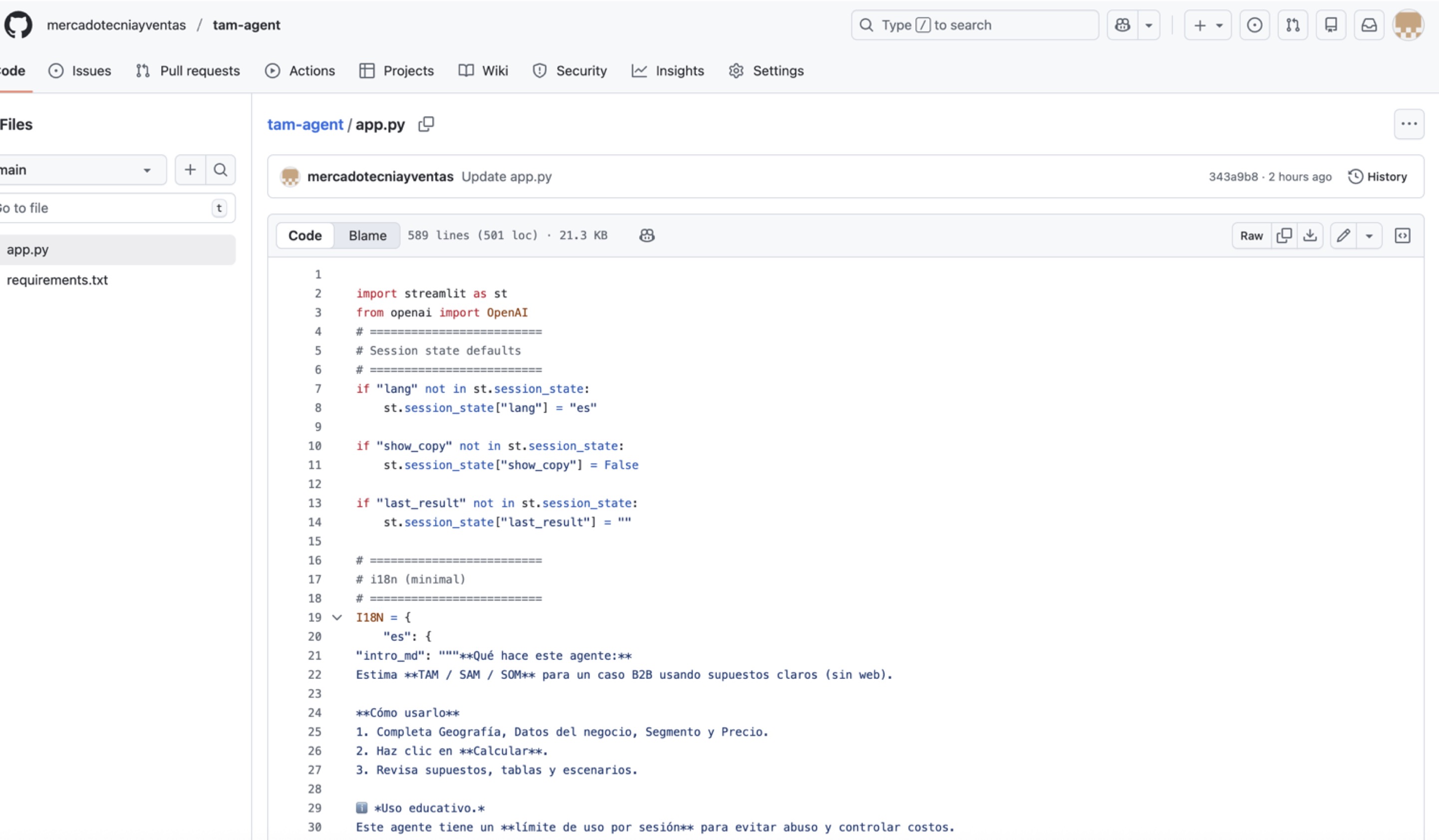
In my case, I published the agent using GitHub and Streamlit.
GitHub allowed me to organize and document the project,
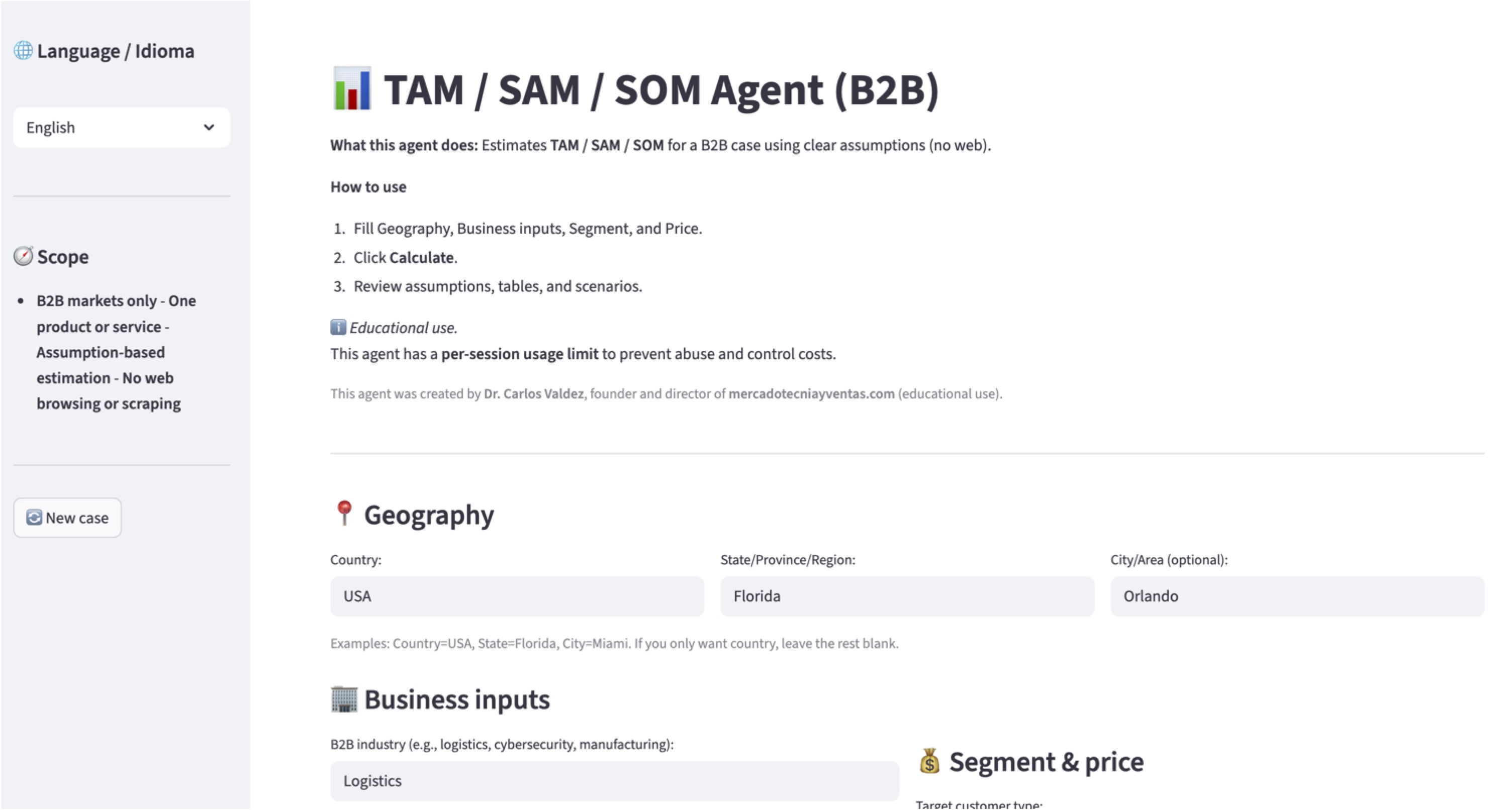
and Streamlit made it possible for the agent to look and function like a real application.
Click on the image to visit the AI agent TAM/SAM/SOM
That completely changes the perception.
It’s no longer just an idea.
It’s no longer an academic experiment.
It’s a working AI agent—accessible and demonstrable.
📌 Show agent running live
And here comes the most important learning of the course.
This is not the end.
This is only your first agent.
Once you understand the process, you can start asking yourself:
• What other problems can I solve in marketing?
• What repetitive tasks can I turn into agents?
• What analyses can I automate or structure better?
This is where something much more valuable begins to take shape:
a portfolio of AI agents. And this connects directly to your professional future.
In 2026, the difference won’t be made by those who “use ChatGPT,” but by those who understand, design, and build solutions with AI. This agent is your first step on that path.
With this, we wrap up the course.
If you’ve made it this far, you no longer just know what an AI agent is—you know how to create one.
And that changes everything.
I’ll say goodbye by reminding you that 90% of our content at MercadotecniayVentas.com is free.
Think of mercadotecniayventas.com as the Khan Academy of marketing and sales in the AI era—in Spanish and in English.
For more than two years, we’ve been researching, writing, and teaching what works in the real world, helping students, academics, and professionals increase their productivity and turn AI into a competitive advantage.
Every month we reach thousands of people with practical, actionable content through our site and distribution platforms like YouTube, Apple Podcasts, Spotify, Facebook, Instagram, TikTok, and especially LinkedIn.
Are you looking for your first job in Marketing and Sales?
We created a short, practical course for final-year students and recent graduates. You’ll learn what companies are actually asking for today: 2026 skills, applied AI, personal brand, and an action plan. No empty theory and no credit card required.
Also, when you’re in your first marketing and sales job, I recommend the Red Manual for Marketing and Sales Coordinators. It’s not a book—it’s a manual and practical guide that will help you remember the most important topics in marketing and how to use them with artificial intelligence.
Lastly, if you want me to share the full programming code for the AI agent to calculate TAM, SAM, and SOM, go to our store and download it for free.
And remember: in marketing and sales, we always have to generate value.
Thank you, and see you next time.